🎵 Video Downloader

TikTok Video Downloader

Our tiktok video downloader fetches public TikTok MP4 links in HD without watermark — completely free. No login, no app required. Paste the link and save any TikTok video instantly from your phone or desktop browser.

What is a TikTok Video Downloader?

A tiktok video downloader is an online tool that turns a copied TikTok link into a direct MP4 file you can save locally. Most people search for a TikTok video downloader without watermark when they want a clean HD file for personal archiving, studying edits, or offline viewing — always respect creators and platform terms. Need stylized text for captions after you post? Try our TikTok Font Generator.

How to Download TikTok Videos
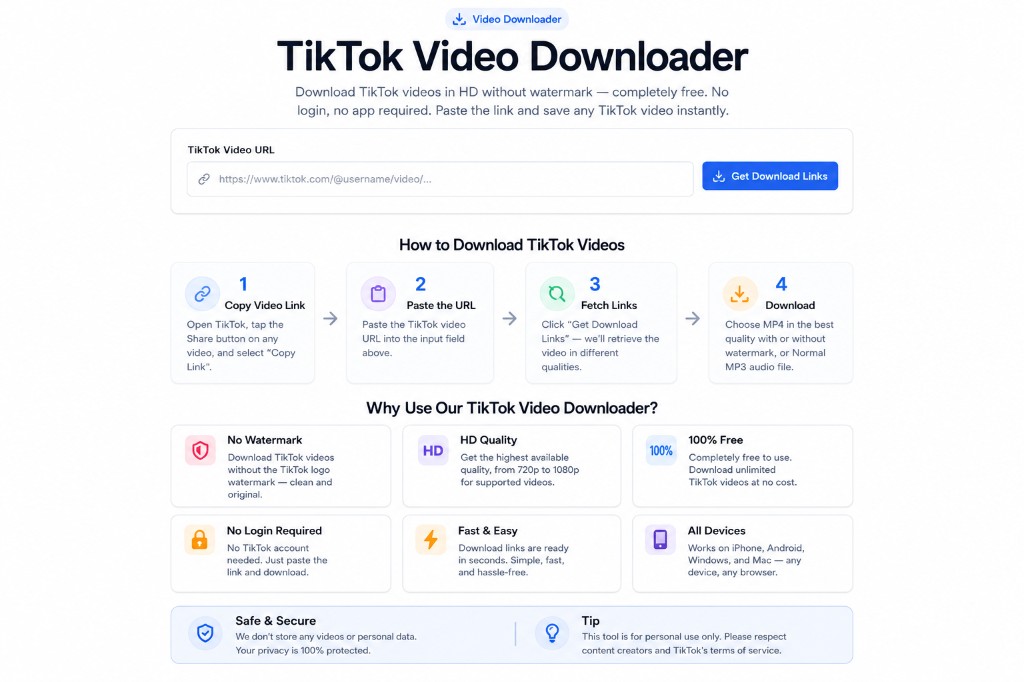
TikTok Video Downloader — Copy link, paste URL, get download links, save HD MP4 without watermark
1

Copy Video Link

Open TikTok, tap the Share button on any video, and select "Copy Link".

2

Paste the URL

Paste the TikTok video URL into the input field above.

3

Fetch Links

Click "Get Download Links" — we remove the watermark and prepare your download.

4

Download

Choose HD for the best quality without watermark, or Normal for a smaller file.

Why Use Our TikTok Video Downloader?

🚫

No Watermark

Download TikTok videos without the TikTok logo watermark — clean and original.

🎬

HD Quality

Get the highest available quality, often 1080p HD for supported videos.

🆓

100% Free

Completely free to use. Download unlimited TikTok videos at no cost.

🔒

No Login Required

No TikTok account needed. Just paste the link and download.

Fast & Easy

Download links are ready in seconds. Simple three-step process.

📱

All Devices

Works on iPhone, Android, Windows, and Mac — any modern browser.

What You Can Download

TikTok Videos

Any public TikTok video downloaded in HD without the watermark logo.

TikTok Duets & Stitches

Collaborative duets and stitched content from public accounts.

TikTok Slideshows

Photo slideshow TikToks saved as MP4 video files.

Frequently Asked Questions

How do I get the TikTok video link?

Open the TikTok app and find the video you want. Tap the Share arrow (➦) on the right side of the screen, then tap "Copy Link". Paste that link into the field above.

Are downloaded TikTok videos really watermark-free?

Yes! The HD download option provides the video without the TikTok watermark. The normal quality option may vary depending on the source.

Can I download TikTok videos on iPhone?

Yes. Open this page in Safari on your iPhone, paste the TikTok link, and tap Get Download Links. After the link appears, tap it and use the Share menu to save the video to your Photos.

Can I download private TikTok videos?

No. Only publicly accessible TikTok videos can be downloaded. Private videos require authentication.

Is it safe and legal to download TikTok videos?

Downloading TikTok videos for personal use is generally acceptable. However, re-uploading or commercially using videos without the creator's permission may violate copyright law. Always respect content creators.

More Video Downloaders

About the TikTok Video Downloader

The TikTok Video Downloader helps you retrieve publicly available videos for offline viewing when permitted by the platform and your local laws. Download TikTok videos without watermark for free Paste a supported link, choose quality when available, and download the file to your device.

Always respect copyright, platform terms of service, and creator rights before downloading or reusing content. The TikTok Video Downloader is intended for personal backup, research, and content you have permission to save. BetterUtils does not host or redistribute third-party videos.

BetterUtils runs entirely in your browser whenever possible. Your inputs are processed locally on your device and are not uploaded to our servers, stored in a database, or shared with third parties. That makes our tools a practical choice when you are working with personal text, business data, screenshots, or files you do not want to send across the internet.

Whether you visit the TikTok Video Downloader once or use it every week, BetterUtils keeps the experience consistent: clear labels, accessible controls, and copy-friendly output. If you are comparing options online, try this page alongside our other video downloaders to see which workflow feels fastest for your team.

Common use cases

  • Saving personal creations you uploaded
  • Offline viewing when streaming fails
  • Archiving licensed content you own
  • Reviewing reference clips for editing

How to use the TikTok Video Downloader

  1. 1

    Open the TikTok Video Downloader

    Load this page in any modern browser on desktop, tablet, or phone. No account or download is required.

  2. 2

    Enter your input

    Type or paste the text, numbers, URL, file, or values you want to process. Settings appear near the main input when customization is available.

  3. 3

    Adjust options

    Choose styles, units, formats, or advanced settings that match your task. Defaults work well for quick everyday use.

  4. 4

    Generate the result

    Click the primary action button or watch live output update automatically as you edit input.

  5. 5

    Copy, download, or reuse

    Copy output to your clipboard, download files when supported, or explore related tools linked below.

Tips for best results

  • Download only content you have rights to use.
  • Prefer the quality setting that matches your storage plan.
  • Verify the link is public before requesting a file.
  • Review platform policies before reposting downloaded media.

Why users choose BetterUtils

BetterUtils focuses on speed, clarity, and privacy. The TikTok Video Downloader loads quickly on modern browsers, works without creating an account, and keeps processing on your device whenever the tool supports local execution. That makes it practical for daily workflows whether you are drafting social content, preparing homework, shipping a website, or debugging a project on a deadline.

Unlike cluttered download portals, each utility page explains what the tool does, who it is for, and how to get reliable results. You can bookmark the TikTok Video Downloader, return from mobile or desktop, and combine it with other free tools in the same session. Explore the related tools section below for complementary generators and converters that complete common tasks end to end.

This page is part of our Video Downloaders collection on BetterUtils. Browse related utilities below or visit the full tools directory to discover calculators, converters, SEO utilities, and creative generators that work in your browser.

Frequently asked questions

Is the TikTok Video Downloader legal to use?

Only download content you own or have permission to save. Follow platform terms and copyright law in your region.

Why did my download fail?

Private, deleted, or region-locked videos may not be available. Confirm the URL is public and supported.

What quality can I download?

Available quality depends on the source file. Choose the option that balances size and clarity for your needs.

Do I need to log in?

BetterUtils downloaders do not require a BetterUtils account. Source platforms may restrict some content.

Are downloads stored on BetterUtils?

Files save directly to your device rather than being hosted long-term on BetterUtils servers.

Can I bookmark the TikTok Video Downloader?

Yes. Save this BetterUtils page in your browser or share the link with teammates who need the same free utility.

BetterUtils publishes free utilities without requiring login, subscription fees, or software installations. Pages are designed to load quickly on mobile networks, and help sections are written for beginners as well as experienced creators who need a reliable shortcut during busy workflows.